

So you’re a good DBA (you automated everything), using Ola’s maintenance solution (https://ola.hallengren.com/) and you think you have everything covered, you fill your day looking at Erik Darling’s ‘Darling Performance Monitoring’ service (https://github.com/erikdarlingdata/PerformanceMonitor).
Than management asks you to do a point in time restore of a database and suddenly the LSN backup chain is invalid, panic hits the room you are in.
-Did somebody made a none copy_only backup and deleted the backup file?
-Did a SAN admin deleted your big backup file?
-Did the backup file became (unnoticed) get corrupt (you forgot the @verify flag)?
-Did your trusted backup software (you heavely rely on) caused corruption (I will not mention a specific name).
-File timestamps do not match up and the LSN tells the truth?
Instead of being fired you just use this script to validate the @CleanupTime and whole job time constellation. Perhaps now it’s time to be sure and rely on LSN’s instead of file timestamps and your college’s, good luck and you progress in your career.


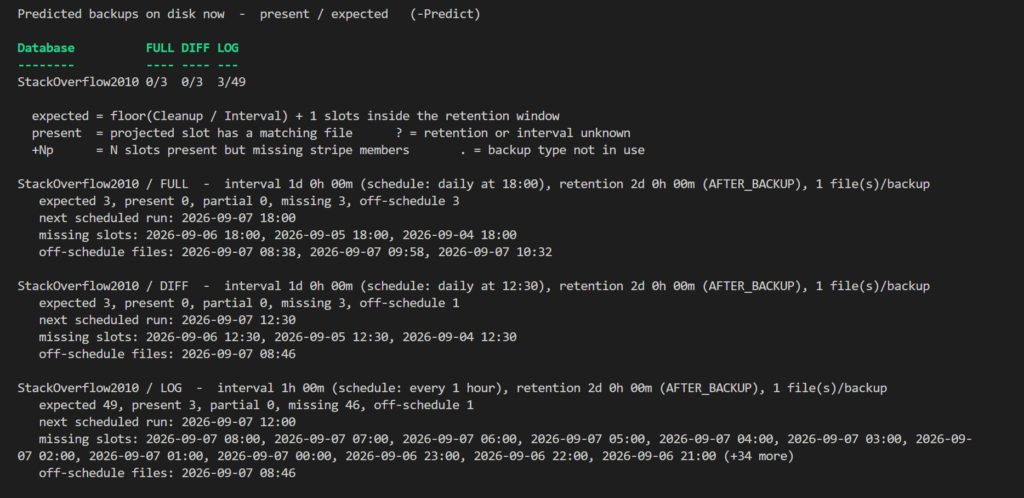
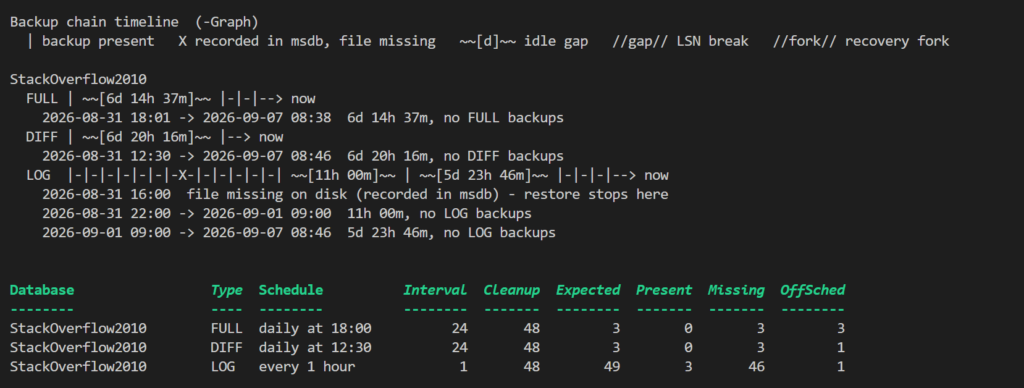
More will follow soon.. (I mean in about 48 hours from now..)
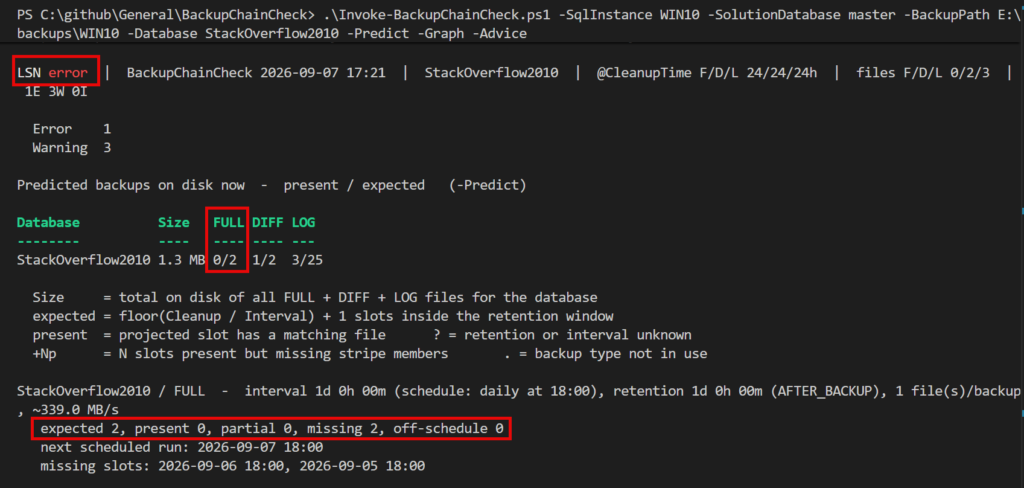
I hope you can read he picture below. LSN is in an error state, because there is no full backup, it expects 2 backups, so missing 2.
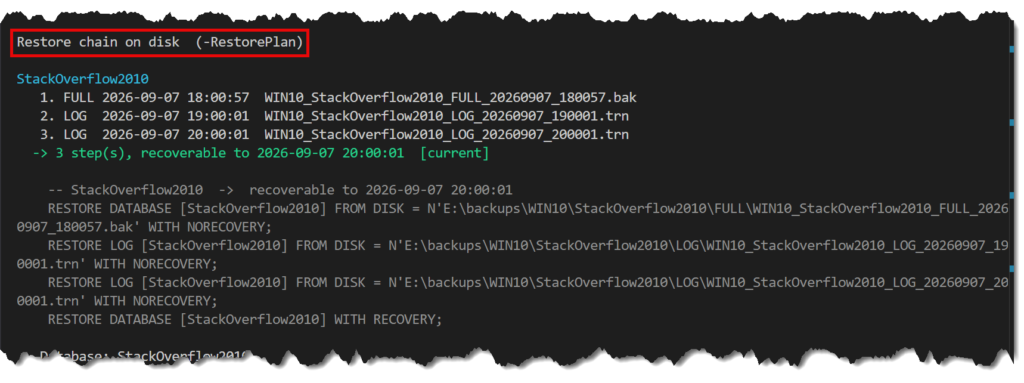
The flag -RestorePlan shows the available backup files and also a restore statement.

If you use -JustLSN you could check all servers and all databases.
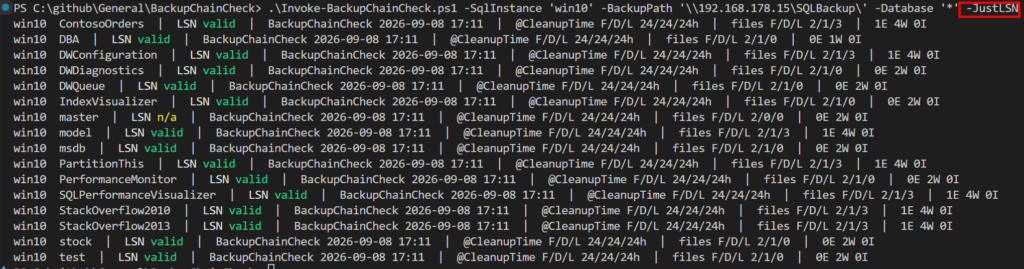
So if a file is missing..

The code is here for you: General/BackupChainCheck at main · ronaldgithub/General